 Facundo Uferer
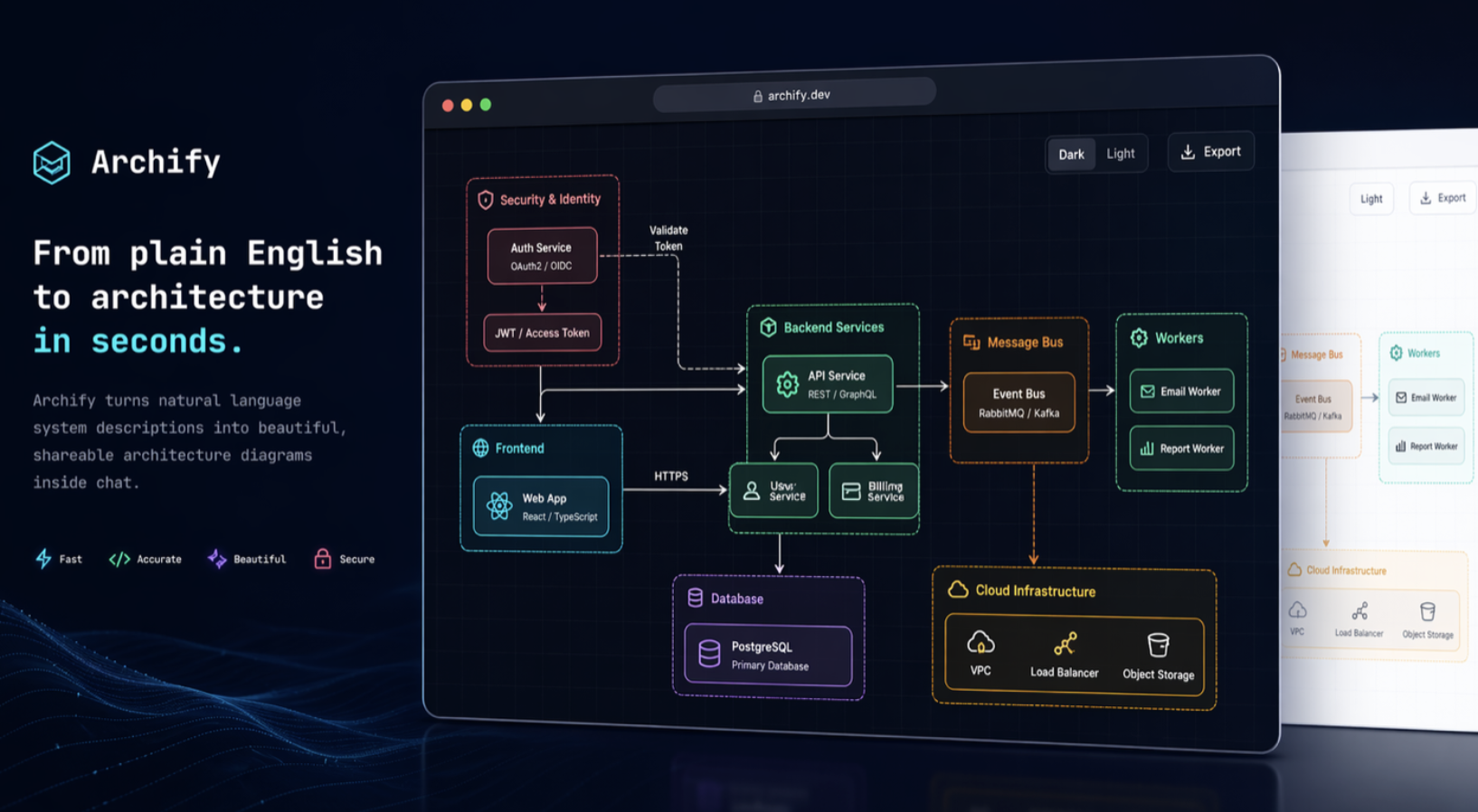
Coding with AI agents comes with an inconvenient side effect: after Claude, Codex, or Cursor touches half the project, a human still has to figure out what on earth is going on. Archify tackles that exact problem. It is an open-source skill that transforms a codebase or a technical description into interactive architecture maps, workflows, sequences, data flows, and life cycles. It works with Cursor, Claude Code, Codex CLI, and OpenCode, among other environments.
The crucial difference lies beneath the canvas. The agent does not simply generate raw SVG hoping it resembles architecture: it produces a typed intermediate JSON representation, which Archify validates against schemas and layout rules before deterministically compiling it to HTML/SVG. The resulting diagram can also be exported to PNG, SVG, WebM, or social sharing cards. That clean separation between agent reasoning and verifiable rendering is easily the strongest architectural choice in the project.
Interactive, Navigable Architecture
These diagrams are far from static graphics. They let you search components, trace upstream and downstream relationships, inspect paths between nodes, compare roles, switch themes, and run through guided walkthroughs. For code-derived architectures, Archify can even link components directly to source files and lines verified against a specific repository commit. In other words, it treats diagrams as living, navigable documentation rather than another stale architecture PNG drawn in 2023 that everyone pretends still matches production.
There is also a deliberate design constraint: Archify avoids generic auto-layout. The authors explored that path using Mermaid and concluded that it stripped away the spatial hierarchy that made diagrams genuinely useful. The agent decides hierarchy, placement, and visual weight; Archify enforces consistency and schema validation. It does not aspire to be a WYSIWYG editor either. It is purpose-built for agents, not another Draw.io on generative steroids.
Getting Started
You will need Node.js 18 or higher. The easiest global install is:
npx skills add tt-a1i/archify -gYou can also run it without a prior install:
npx skills use tt-a1i/archify@archify --agent codexNext, open your project with any supported agent and prompt it with something like:
Analyze this repository, then use Archify to create a high-level runtime architecture diagram. Show 8–12 core components, external dependencies and trust boundaries.You can also sketch ideas from scratch without an existing codebase:
Use Archify to draw: Browser -> API -> Redis cache -> PostgreSQL fallback.From there, refine it conversationally: “add Redis”, “show authentication flow”, “highlight rollback logic”, or “convert this into a sequence diagram”. Archify natively supports architecture, workflow, sequence, dataflow, and lifecycle.
To verify your setup manually, you can run node bin/archify.mjs doctor, spin up an example with demo, and check diagrams with validate. For standard workflows, however, that mechanics remain intentionally invisible behind the agent. And that is perhaps its biggest appeal: Archify turns architecture documentation into asking a question instead of spending an entire afternoon aligning rectangles.