 Facundo Uferer
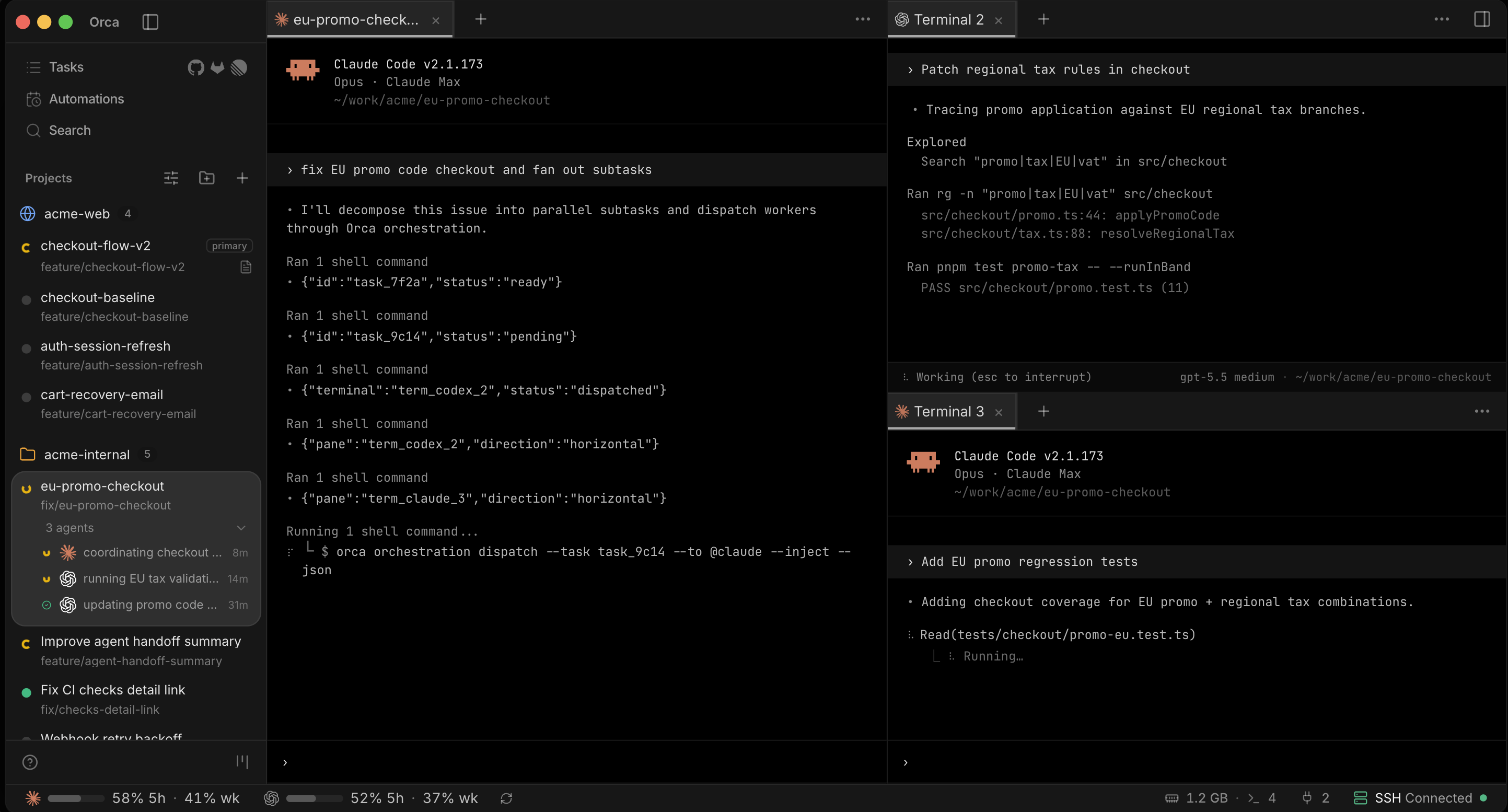
Over the past several years, the software industry has focused on inserting artificial intelligence into traditional IDEs: first autocompletion, then chat panels, and eventually full-blown agentic capabilities. Orca inverts that equation entirely. Instead of taking an editor and bolting on agents, it designs the environment around them.
Its creators term this an ADE (Agent Development Environment), and the distinction is accurate: once Claude Code, Codex, Cursor CLI, Gemini, OpenCode, and similar tools handle substantial chunks of implementation, staring at a single file for eight hours ceases to be the focal point of the day.
The Core Innovation: Parallel Git Worktrees
The standout architectural idea in Orca is parallel worktrees. Every task can live in its own isolated git worktree, complete with dedicated branches, independent files, separate terminal sessions, and assigned agents. You can hand the same bug to Claude Code, Codex, and Cursor simultaneously, let them run in parallel, compare all three diffs, and cherry-pick the optimal solution.
No stash gymnastics, no frantic branch hopping, and no cognitive strain trying to recall which terminal was doing what. For once, Git actively diminishes confusion rather than contributing to it.
A Control Room for Synthetic Engineers
Orca stays relevant well after the agent finishes writing code. It packs features purposefully tailored to the modern agent lifecycle:
- AI-first diff viewer: crafted specifically to inspect and navigate code generated by language models.
- Inline review and iteration: allows leaving line comments and feeding structured feedback back to the agent in one unified turn.
- Clear attribution: accurately distinguishes human edits from AI-generated contributions.
- Integrated tooling: bundles an embedded Chromium browser, dedicated terminals, GitHub, Linear, and remote execution via SSH.
- Mobile companion: offers a mobile app to monitor long-running tasks while away from your primary workstation.
Combined, this transforms Orca from “another AI editor” into a mission control deck for a small army of synthetic programmers, swapping traditional team overhead for rate limits. Furthermore, it is open source under the MIT license, runs natively across macOS, Windows, and Linux, and leverages your existing accounts and subscriptions.
Getting Started with Orca
- Install Orca: grab the installer from onOrca.dev for Windows, macOS, or Linux. On macOS, you can also run
brew install --cask stablyai/orca/orca. - Configure your CLIs: ensure at least one supported agent CLI is ready (Claude Code, Codex, etc.). Orca does not bundle proprietary models; it coordinates your local tools.
- Open your repository: select Add Repo, pick your project, and create a new worktree using the
+button. - Run parallel experiments: spawn two or three worktrees off the same base branch, assign the same task to different agents, and benchmark the results.
- Calibrate autonomy: review Settings → Agents → Agent Permissions. Start with Manual confirmations and gradually enable higher autonomy as you build confidence in the workflow.
Orca may not be necessary if you only rely on an occasional prompt for quick utility functions. But as software development evolves from asking an AI for help to orchestrating multiple autonomous agents researching, coding, testing, and reviewing concurrently, traditional editors show their age. In that emerging paradigm, Orca is one of the most compelling environments available.