Facundo Uferer
In the previous lesson you learned what an array is and how to declare one-dimensional and multidimensional arrays. But declaring an array isn’t enough. An array only becomes useful when you learn to work with its elements.
That means, for example:
- traversing it to read all its values
- searching for data inside it
- inserting a new value at a specific position
- processing information to obtain results
In this lesson we’ll focus on these basic operations, step by step with examples in C.
What does operating with an array mean?
An array stores multiple data items of the same type in consecutive memory positions.
For example:
int numeros[5] = {10, 20, 30, 40, 50};In this case:
numeros[0]is10numeros[1]is20numeros[2]is30numeros[3]is40numeros[4]is50
Working with an array involves using its name and its indices to read or modify its elements.
Traversing an array
Traversing an array means visiting its elements one by one.
This is the most important operation, because almost everything we do with arrays starts with a traversal.
Basic example: displaying all elements
#include <stdio.h>

int main() {
    int numeros[5] = {10, 20, 30, 40, 50};
    int i;

    for (i = 0; i < 5; i = i + 1) {
        printf("Position %d -> %d\n", i, numeros[i]);
    }

    return 0;
}
What does this program do?
- the variable
istarts at0 - while
iis less than5, the loop continues - in each cycle,
numeros[i]is displayed - then
iincreases by1
So the program visits these positions:
numeros[0]numeros[1]numeros[2]numeros[3]numeros[4]
Expected output
Position 0 -> 10
Position 1 -> 20
Position 2 -> 30
Position 3 -> 40
Position 4 -> 50
Traversal for processing data
Traversing doesn’t always mean displaying values. Many times we traverse an array to perform calculations.
Example: summing the elements
#include <stdio.h>

int main() {
    int numeros[5] = {3, 5, 2, 8, 4};
    int i;
    int suma = 0;

    for (i = 0; i < 5; i = i + 1) {
        suma = suma + numeros[i];
    }

    printf("The sum is: %d\n", suma);

    return 0;
}
What’s happening here?
sumastarts at0- in each cycle, the current array value is added
- at the end,
sumacontains the total
Step by step
If the array is {3, 5, 2, 8, 4}:
- at the start,
suma = 0 - after reading
3,suma = 3 - after reading
5,suma = 8 - after reading
2,suma = 10 - after reading
8,suma = 18 - after reading
4,suma = 22
Traversal to find the largest value
Another very common case is traversing an array to find the largest element.
#include <stdio.h>

int main() {
    int numeros[5] = {12, 7, 25, 18, 9};
    int i;
    int mayor = numeros[0];

    for (i = 1; i < 5; i = i + 1) {
        if (numeros[i] > mayor) {
            mayor = numeros[i];
        }
    }

    printf("The largest value is: %d\n", mayor);

    return 0;
}
Important idea
Notice this:
int mayor = numeros[0];We don’t start with a made-up value. We start assuming the first element is the largest. Then we compare the rest.
That’s a good practice. And you know why? Because we work with a real value from the array.
Searching in an array
Searching means trying to find a value inside the array.
The simplest form is sequential search. It’s called that because it checks positions one by one, from beginning to end.
Example: searching for a number
#include <stdio.h>

int main() {
    int numeros[5] = {10, 25, 30, 45, 50};
    int i;
    int buscado = 30;
    int encontrado = 0;

    for (i = 0; i < 5; i = i + 1) {
        if (numeros[i] == buscado) {
            encontrado = 1;
        }
    }

    if (encontrado == 1) {
        printf("The value %d is in the array.\n", buscado);
    } else {
        printf("The value %d is not in the array.\n", buscado);
    }

    return 0;
}
How does it work?
buscadostores the value we want to findencontradostarts at0, meaning “I haven’t found it yet”- if a match appears,
encontradobecomes1
Search showing the position
Many times knowing if the data exists isn’t enough. We also want to know what position it’s in.
#include <stdio.h>

int main() {
    int numeros[6] = {8, 14, 21, 14, 35, 42};
    int i;
    int buscado = 14;
    int posicion = -1;

    for (i = 0; i < 6; i = i + 1) {
        if (numeros[i] == buscado) {
            posicion = i;
            break;
        }
    }

    if (posicion != -1) {
        printf("The value %d was found at position %d.\n", buscado, posicion);
    } else {
        printf("The value %d was not found.\n", buscado);
    }

    return 0;
}
Why do we use -1?
Because a valid array position can never be -1.
So:
- if
posicionis still-1, the data didn’t appear - if
posicionchanges to0,1,2, etc., we found the data
And what does break do?
break cuts the loop at that moment.
In this example it’s useful because, once the value is found, there’s no need to keep searching.
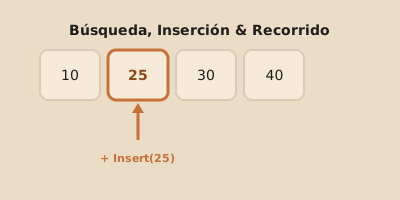
Insertion in an array
Inserting means adding new data at a specific position.
Here comes a VERY important idea:
in an array, positions are already occupied or reserved, and if you want to insert in the middle, you have to move elements.
Also, remember that the array has a fixed size. That means to insert data, there has to be space available.
Example: inserting in the middle
#include <stdio.h>

int main() {
    int numeros[6] = {10, 20, 40, 50};
    int cantidad = 4;
    int posicion = 2;
    int nuevo = 30;
    int i;

    for (i = cantidad; i > posicion; i = i - 1) {
        numeros[i] = numeros[i - 1];
    }

    numeros[posicion] = nuevo;
    cantidad = cantidad + 1;

    for (i = 0; i < cantidad; i = i + 1) {
        printf("%d ", numeros[i]);
    }

    printf("\n");

    return 0;
}
What was there at the start?
The array contained:
10 20 40 50And we wanted to insert 30 at position 2.
Why do we need to move elements?
Because at position 2 there was already 40.
So we make room by shifting to the right:
50moves to the next position40moves to the next position- only then can we store
30
Final result
10 20 30 40 50Step-by-step explanation of the shift
Look at this loop:
for (i = cantidad; i > posicion; i = i - 1) {
    numeros[i] = numeros[i - 1];
}
If cantidad = 4 and posicion = 2:
- when
i = 4,numeros[4] = numeros[3]→ copies50 - when
i = 3,numeros[3] = numeros[2]→ copies40
After that, position 2 is free for the new value.
Common error when inserting
A very common error is moving elements from left to right.
That’s wrong in this case, because values get overwritten before being copied.
When inserting in an array, the shift must be done from the end toward the insertion position.
Two-dimensional arrays
A two-dimensional array, also called a matrix, has rows and columns.
Example:
int matriz[2][3] = {
    {1, 2, 3},
    {4, 5, 6}
};
Here there are:
- 2 rows
- 3 columns
Traversing a matrix
To traverse a matrix, two loops are typically used:
- one for the rows
- another for the columns
#include <stdio.h>

int main() {
    int matriz[2][3] = {
        {1, 2, 3},
        {4, 5, 6}
    };
    int i;
    int j;

    for (i = 0; i < 2; i = i + 1) {
        for (j = 0; j < 3; j = j + 1) {
            printf("%d ", matriz[i][j]);
        }
        printf("\n");
    }

    return 0;
}
Expected output
1 2 3
4 5 6
Example: summing all elements of a matrix
#include <stdio.h>

int main() {
    int matriz[2][3] = {
        {1, 2, 3},
        {4, 5, 6}
    };
    int i;
    int j;
    int suma = 0;

    for (i = 0; i < 2; i = i + 1) {
        for (j = 0; j < 3; j = j + 1) {
            suma = suma + matriz[i][j];
        }
    }

    printf("The total sum is: %d\n", suma);

    return 0;
}
Common mistakes when working with arrays
Using a position that doesn’t exist
If the array has 5 elements, the valid positions are:
01234
Position 5 no longer belongs to the array.
Confusing the number of elements with the last index
If there are 5 elements:
- the count is
5 - the last index is
4
They’re not the same.
Forgetting to initialize auxiliary variables
If you’re doing a sum, search, or comparison, the auxiliary variables need to start with a correct value.
For example:
sumausually starts at0encontradousually starts at0posicioncan start at-1
Summary
- traversing an array is visiting its elements one by one
- a traversal can be used to display, sum, compare, or process data
- sequential search checks the array from beginning to end
- inserting in an array involves moving elements when not adding at the end
- a matrix is traversed with nested loops
Final thought
Arrays aren’t just “boxes with multiple pieces of data.” They’re structures on which we perform concrete operations.
If you understand how to traverse, search, and insert, you’re no longer looking at an array as a static list: you start using it as a real tool to solve problems.