Facundo Uferer
So far you’ve seen sequential programs: instructions execute one after another. But sometimes that’s not enough.
Many times a program needs to choose between two or more paths based on a condition.
That’s where the if-else statement comes in.
In this lesson you’ll learn:
- what it means to make a decision in a program
- what
ifdoes - what
if-elsedoes - how code blocks with braces are used
- what nested statements are
- common mistakes when working with decisions
Key idea:
if-elselets you break the simple linear sequence to choose which block to execute based on a condition.
What is a decision in programming?
A decision occurs when the program must evaluate a condition and, based on that, execute one block or another.
For example:
- if age is 18 or more, show “of legal age”
- if the grade is less than 6, show “failed”
- if the number is 0, show “zero”
Reminder: what is a condition?
A condition is an expression that can be true or false.
Examples:
edad >= 18
numero == 0
nota < 6
These expressions use relational operators, which you already saw in the previous lesson.
The if statement
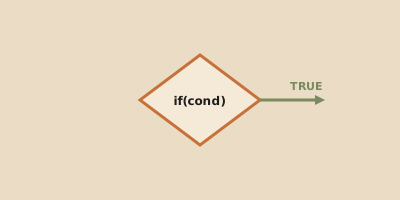
The if statement executes a block of code only if the condition is true.
Syntax
if (condition) {
    instructions;
}
Simple example
#include <stdio.h>

int main() {
    int edad = 20;

    if (edad >= 18) {
        printf("Is of legal age\n");
    }

    return 0;
}
If the condition is true, the block executes. If it’s false, that block is skipped.
The if-else statement
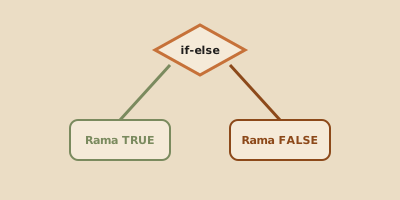
The if-else structure allows executing one block if the condition is true and a different block if it’s false.
Syntax
if (condition) {
    instructions_if_true;
} else {
    instructions_if_false;
}
Example
#include <stdio.h>

int main() {
    int numero = 5;

    if (numero % 2 == 0) {
        printf("The number is even\n");
    } else {
        printf("The number is odd\n");
    }

    return 0;
}
What role do braces play?
Braces {} delimit the block of instructions belonging to if or else.
if (edad >= 18) {
    printf("Of legal age\n");
    printf("Can continue\n");
}
Here both statements belong to the same block.
Although in C it’s possible to write an if without braces when there’s only one instruction, for teaching and writing clear code it’s better to always use braces.
Nested statements
A nested statement is a control statement placed inside another.
For example, an if inside another if.
Example
#include <stdio.h>

int main() {
    int numero = 0;

    if (numero >= 0) {
        if (numero == 0) {
            printf("The number is zero\n");
        } else {
            printf("The number is positive\n");
        }
    } else {
        printf("The number is negative\n");
    }

    return 0;
}
When should you nest?
You should nest when a second decision depends on the first one having been already met.
But don’t overdo it either.
If you start adding too many nesting levels, the code becomes hard to read.
Program flow with if-else
Look at this example:
int edad = 16;

if (edad >= 18) {
    printf("Of age\n");
} else {
    printf("Underage\n");
}
Flow
edad >= 18is evaluated- since it’s false, the
ifblock is not executed - the
elseblock is executed
The key is to understand that the program doesn’t execute both paths: it chooses one.
Common mistakes when starting
1. Confusing = with ==
if (edad = 18) {That’s conceptually wrong for a comparison. For comparing, use ==.
2. Forgetting braces in blocks that grow
Today you have one line, tomorrow you add two more and chaos appears.
3. Not thinking about the flow
It’s not enough to write the condition. You need to understand which block executes when the condition is true and which when it’s false.
4. Nesting unnecessarily
Nesting is useful, but overusing it makes code harder.
Summary
ifexecutes a block only if the condition is trueif-elseallows choosing between two paths- braces delimit the instruction block
- nested statements allow decisions within other decisions
- the program chooses one path based on the condition’s result
Final thought
if-else is the first major break from the simple sequence.
From here on, the program no longer always does the same thing: it starts adapting based on the data.
And that’s exactly what makes a huge number of real programs useful.