Facundo Uferer
Variables and constants are the foundation of almost every program. Before asking the user for data, before making decisions, and before repeating tasks, a program needs to store information.
In C, that information is stored in memory using names that we choose.
In this lesson you’ll learn:
- what a variable is
- what it means to declare, initialize, and assign
- how to name variables correctly in C
- what basic data types are used most frequently
- what a constant is and when to use it
Key idea: if you don’t understand variables and constants well, everything that comes after gets much harder. This part is FUNDAMENTAL.
What is a variable?
A variable is a memory space that has:
- a data type
- a name
- a value that can change
Think of it this way: a variable is like a box with a label.
- The label is the name of the variable.
- The content of the box is the stored value.
- The data type indicates what kind of value can be stored there.
For example:
int edad = 18;In that line:
intindicates the variable will store an integer numberedadis the name of the variable18is the initial value
Why do we need variables?
Because programs work with data.
For example, a program might need to store:
- a person’s age
- the price of a product
- the initial of a name
- the number of students in a course
If we couldn’t store those values, the program would have nothing to work with.
Look at this example:
int cantidadAlumnos = 30;
float precio = 1499.50;
char inicial = 'F';
There the program is storing three different pieces of data:
cantidadAlumnosstores an integerpreciostores a decimal numberinicialstores a single character
Variables and memory
When a program runs, it uses RAM.
Each variable occupies a part of that memory. You don’t need to know the exact address where it’s stored yet, but you should understand the general idea: each variable reserves a place to store data.
We can imagine it like this:
edad              -> 18
precio            -> 1499.50
inicial           -> F
This does NOT mean memory actually looks like this, but it serves as a mental model to start.
The important thing is to understand that the variable’s name lets the program find the stored value.
Declaring a variable
Declaring a variable means informing the compiler that the variable will exist and what data type it will store.
The general form is:
tipo nombreVariable;Example:
int edad;This line declares a variable called edad that can store integers.
We haven’t given it a value yet. We only said the variable exists.
Initializing a variable
Initializing a variable means giving it a value at the same time it’s declared.
Example:
int edad = 18;Here two things happen at the same time:
- the variable
edadis declared - the value
18is assigned to it
Initializing is usually a very good practice, because it makes the code clearer and avoids using variables without a valid value.
Assigning a value
Assigning a value means storing data inside a variable that already exists.
Example:
int edad;
edad = 18;
First we declare the variable. Then we assign a value to it.
This is different from initializing, because initialization happens on the same line as declaration.
Declare, initialize, assign: important difference
These three ideas seem similar, but they are NOT the same.
Declaration only
int edad;The variable exists, but it hasn’t received a value by our decision yet.
Declaration with initialization
int edad = 18;The variable is created and already starts with a value.
Later assignment
int edad;
edad = 18;
The variable is created first and receives the value afterward.
Understanding this difference is extremely important, because in programming the moment a value appears also matters.
Basic data types you’ll use when starting
In C, every variable needs a type. The type defines what kind of data can be stored.
For now, the most important ones to start with are these:
int
Used for integers, that is, numbers without a decimal part.
int cantidad = 25;
int anio = 2026;
int temperaturaMinima = 8;
float
Used for numbers with decimals.
float altura = 1.75;
float precio = 2500.50;
float promedio = 8.4;
char
Used to store a single character.
char letra = 'A';
char inicial = 'F';
char simbolo = '#';
Notice something important: char values are written with single quotes.
char letra = 'A';That represents a single character.
Later you’ll see how to work with full text. For now, it’s enough to understand that
charstores a single character.
Complete explained example
Look at this simple program:
int main() {
    int edad = 18;
    float altura = 1.72;
    char inicial = 'F';

    return 0;
}
What’s happening there?
edadstores an integeralturastores a decimal numberinicialstores a character
The program doesn’t display anything on the screen yet. And that’s fine. The goal of this lesson isn’t to display data, but to understand how it’s stored.
A variable’s value can change
The word variable indicates precisely that its value can vary.
Example:
int edad = 18;
edad = 19;
At the end of that fragment, the value stored in edad is 19.
The variable is still the same, but its content changed.
Another example:
float precio = 1500.00;
precio = 1750.00;
Now precio is no longer 1500.00, but 1750.00.
Don’t use variables without giving them a reliable value
One of the most dangerous bad habits when starting is declaring a variable and using it without having assigned a clear value.
For example:
int edad;That variable exists, yes. But if you haven’t given it a value through assignment, you shouldn’t assume it contains useful data for your program.
That’s why, when possible, it’s better to initialize:
int edad = 0;
float precio = 0.0;
char inicial = ' ';
The initial value won’t always be zero or a space, but the important idea is this: the program must know what value it starts working with.
Rules for naming variables in C
You can’t just use any name. C has rules.
A variable name:
- can use letters
- can use numbers
- can use underscore
_ - must begin with a letter or
_ - cannot begin with a number
- cannot contain spaces
- cannot be a reserved word of the language
Valid examples
edad
edadAlumno
numero1
_total
precioFinal
Invalid examples
1edad
mi edad
float
precio-final
Why are they invalid?
1edadstarts with a numbermi edadhas a spacefloatis a reserved word of the languageprecio-finalhas a hyphen, which isn’t part of a name
Good practices when naming variables
One thing is for a name to be valid, and another is for it to be clear.
Look at these examples:
int x;
float a;
char z;
That may compile, but it communicates very little.
Now look at this:
int cantidadAlumnos;
float precioProducto;
char inicialNombre;
Much better.
A good name helps understand the program without having to guess.
Recommendations
- use names that describe the data
- avoid names that are too short if they don’t add clarity
- keep a consistent naming style
What is a constant?
A constant is data whose value should not change during program execution.
That is:
- a variable can change
- a constant must remain the same
This is useful when there are fixed values that have an important meaning in the program.
For example:
- the number of days in a week
- the number of months in a year
- the approximate value of PI
Declaring constants with const
In C, a constant can be declared using the keyword const.
Example:
const int diasSemana = 7;
const int mesesAnio = 12;
const float PI = 3.14159;
In these cases, those values are defined so they won’t be modified later.
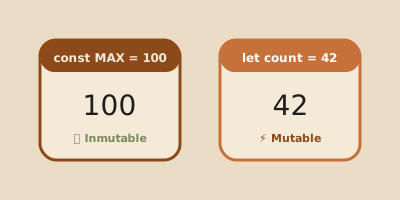
Difference between variable and constant
Look at this example:
int edad = 18;
const int diasSemana = 7;edadcan changediasSemanashould not change
If later in the code you write:
diasSemana = 8;that’s wrong, because it contradicts the idea of having declared that data as constant.
The important lesson here isn’t memorizing a compiler error, but understanding the concept: if a value shouldn’t change, declaring it as a constant makes the program clearer and safer.
When should you use a constant?
You should use a constant when a value:
- represents a fixed rule
- has the same meaning throughout the program
- should not be accidentally modified
Example:
const int cantidadRuedasBicicleta = 2;
const int horasDia = 24;
If those values are part of the program’s logic, declaring them as constants communicates intent better.
Example comparing variables and constants
int edad = 18;
const int mesesAnio = 12;
In that code:
edadrepresents data that could changemesesAniorepresents fixed data
That conceptual difference is more important than the syntax.
Common mistakes when starting
1. Confusing the name with the value
int edad = 18;edadis the name18is the value
They’re not the same.
2. Believing declaring is the same as initializing
No.
int edad;That only declares.
int edad = 18;That declares and initializes.
3. Using unclear names
int a;
int dato;
That says very little.
Better:
int cantidadEstudiantes;4. Using a variable without having decided what value it starts with
When you’re just starting, it’s best that every important variable has a clear initial value.
5. Declaring as a variable something that should actually be a constant
If a value won’t change, using const makes the code express its intent better.
Summary
- a variable stores data that can change
- a constant stores data that should not change
- in C, every variable needs a type and a name
- declaring is creating the variable
- initializing is giving it a value when declaring it
- assigning is giving it a value after it’s been declared
int,float, andcharare basic types widely used when starting- a good name makes the code much more understandable
constis used to represent fixed values
Final thought
When you program, you’re not writing code for the sake of it: you’re telling the computer what data exists and how it should handle it.
Variables and constants are the first great tool for modeling that information.
If this is clear to you, the rest of the road starts to make sense.