Facundo Uferer
Control Flow and Loops
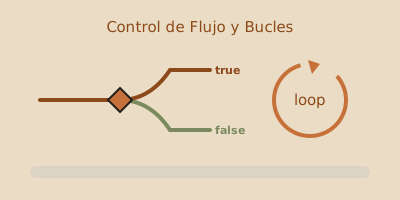
Control flow structures allow you to alter the execution path of a program based on conditions or repeat a block of code multiple times.
1. Conditionals: if, else if, else
Execute code only when a logical condition is met:
int score = 85;

if (score >= 90) {
    System.out.println("Excellent");
} else if (score >= 70) {
    System.out.println("Passed");
} else {
    System.out.println("Failed");
}
Ternary Operator
Short syntax for simple conditional assignments:
String status = (score >= 70) ? "Passed" : "Failed";2. The switch Statement
Ideal when evaluating multiple possible discrete values of a variable.
int day = 3;

switch (day) {
    case 1:
        System.out.println("Monday");
        break;
    case 2:
        System.out.println("Tuesday");
        break;
    case 3:
        System.out.println("Wednesday");
        break;
    default:
        System.out.println("Invalid day");
        break;
}
Modern Java (Switch Expressions):
String dayName = switch (day) {
    case 1 -> "Monday";
    case 2 -> "Tuesday";
    case 3 -> "Wednesday";
    default -> "Invalid day";
};
3. Loops and Iteration
for Loop
Used when the number of iterations is known in advance:
for (int i = 1; i <= 5; i++) {
    System.out.println("Iteration number: " + i);
}
while Loop
Evaluates the condition before executing the block:
int count = 0;
while (count < 3) {
    System.out.println("Count: " + count);
    count++;
}
do-while Loop
Guarantees the block runs at least once, as the condition is evaluated at the end:
int number = 10;
do {
    System.out.println("Runs at least once");
} while (number < 5);
4. Loop Control: break and continue
break: Immediately exits the loop.continue: Skips the current iteration and jumps to the next.
for (int i = 1; i <= 10; i++) {
    if (i == 5) continue; // Skips 5
    if (i == 8) break;    // Stops loop at 8
    System.out.print(i + " "); // Output: 1 2 3 4 6 7
}
5. Hands-on Exercise
Write a Java program using a loop to calculate the sum of all even numbers between 1 and 100, and print the total.