Facundo Uferer
Files, Serialization, and JAR Packaging
Everything you have built so far shares one problem: it disappears when the program closes. Lists, trees, graphs — all of it lives on the Heap, and the Heap evaporates when the JVM exits.
This lesson closes that loop with two topics that usually travel together: how to save state to disk and how to ship your application so somebody else can run it without your source code.
1. The two I/O families, and the decorator pattern
Java has two parallel I/O hierarchies, and mixing them up is the first source of bugs.
Buffered* classes do not change what you do, they change how many times the disk is touched. That is why you always wrap.2. The modern way: Files and Path
Since Java 7 there is NIO.2, and for 90% of cases it turns ten lines into one.
Files.import java.nio.file.*;
import java.io.IOException;
Path path = Path.of("data", "catalog.txt"); // builds the path without manual separators
// Read it all at once (small and medium files)
String content = Files.readString(path);
List<String> lines = Files.readAllLines(path);
// Write
Files.writeString(path, "hello\n"); // overwrites
Files.writeString(path, "another line\n", StandardOpenOption.APPEND); // appends
// Queries
boolean exists = Files.exists(path);
long size = Files.size(path);
Files.createDirectories(path.getParent()); // creates the whole hierarchy if missingFor large files, Files.lines() returns a lazy stream: it processes line by line without loading everything into memory.
// Counts error lines in a 2 GB log without using 2 GB of RAM
try (Stream<String> lines = Files.lines(Path.of("app.log"))) {
    long errors = lines.filter(l -> l.contains("ERROR")).count();
    System.out.println("Errors: " + errors);
}
Note the try-with-resources from the Exception Handling and Robustness lesson: Files.lines opens a file, so it must be closed. readString and readAllLines do not need it because they close themselves.
The charset trap
This is the classic bug that only shows up on somebody else’s machine:
// BAD: uses the operating system's default charset
new FileReader("data.txt");
new FileWriter("output.txt");

// GOOD: the charset is explicit and the file reads the same everywhere
Files.readString(path);                                    // UTF-8 by default
Files.newBufferedReader(path, StandardCharsets.UTF_8);
new FileWriter("output.txt", StandardCharsets.UTF_8);
A file written with Windows’ default charset and read with Linux’s turns every accented character into garbage. Always pin UTF-8 explicitly.
3. Serialization: saving whole objects
Writing text is fine for simple data. But how do you save a Product with all its fields, or an entire list of them?
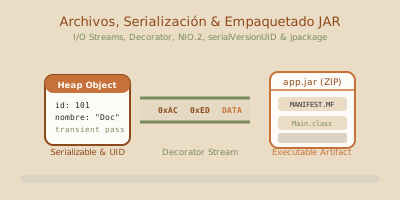
Serialization turns a Heap object into a sequence of bytes, and back.
readObject() is new: same data, different memory address. And the class constructor never runs.import java.io.*;
import java.util.List;
public class Product implements Serializable { // marker: "I am serializable"
private static final long serialVersionUID = 1L; // ALWAYS declare it by hand
private final String name;
private final double price;
private transient String computationCache; // NOT saved
public Product(String name, double price) {
this.name = name;
this.price = price;
}
}
// Save a whole list in one go
try (ObjectOutputStream out = new ObjectOutputStream(
Files.newOutputStream(Path.of("catalog.ser")))) {
out.writeObject(catalog);
}
// Read it back
try (ObjectInputStream in = new ObjectInputStream(
Files.newInputStream(Path.of("catalog.ser")))) {
@SuppressWarnings("unchecked")
List<Product> catalog = (List<Product>) in.readObject();
}Three things you must know:
- Declare
serialVersionUIDby hand. If you do not, Java derives one from the class structure. Add a field, that number changes, and every previously saved file becomes unreadable withInvalidClassException. transientexcludes a field. On deserialization it comes back asnullor0. That is correct for passwords, open connections, and caches.- The constructor does not run. Java rebuilds the object field by field, skipping your constructor entirely. Every validation you put there is not applied.
In 2026, Java serialization is rare in new systems. The format is proprietary — only another Java program can read it — it is brittle under class changes, and it has been the source of serious deserialization vulnerabilities. To exchange data today people use JSON (with Jackson or Gson) or binary formats like Protobuf. Learn it because you will meet it in existing code, not because it is the first choice.
4. Packaging: from source code to an executable JAR
Your program works in your IDE. Now you have to ship it.
# 1. Compile everything into bin/
javac -d bin $(find src -name "*.java")

# 2. Package it. The 'e' flag declares the main class in the manifest
jar cvfe app.jar com.facundouferer.shop.Main -C bin .

# 3. Run it on any machine with a JVM
java -jar app.jar
The jar flags: c create, v verbose, f file name, e entry point. The -C bin . part means “change into the bin folder and include everything in it”.
In a real project you will use Maven or Gradle, which do this plus download dependencies, run the tests, and build a fat jar with the libraries bundled in:
mvn package        # jar lands in target/
./gradlew build    # jar lands in build/libs/
5. Common mistakes
| Mistake | What happens | How to fix it |
|---|---|---|
| Not closing the file | The file stays locked and, when writing, whatever sat in the buffer is lost. | try-with-resources, always. |
Using FileReader/FileWriter without a charset | It reads fine on your machine and breaks on another. Accents turn into garbage. | Pass StandardCharsets.UTF_8 explicitly, or use Files. |
Reading a huge file with readAllLines | OutOfMemoryError on a multi-GB log. | Files.lines() inside a try-with-resources. |
Not declaring serialVersionUID | You add a field and every saved file stops loading: InvalidClassException. | private static final long serialVersionUID = 1L;. |
| Expecting the constructor to run on deserialization | Validations are skipped and the object can come back invalid. | Validate in readObject, or skip native serialization entirely. |
Concatenating paths with "/" or "\\" by hand | Breaks when the operating system changes. | Path.of("folder", "file.txt"). |
jar with no Main-Class in the manifest | java -jar replies “no main manifest attribute”. | Use jar cvfe with the main class, or declare it in the manifest. |
| Serializing objects holding non-serializable fields | NotSerializableException at runtime. | Mark them transient, or make the class Serializable too. |
6. Guided hands-on exercise
Challenge: a persistent catalog
- Create a serializable
Productwith a declaredserialVersionUID. - Write a
Catalogwithsave(Path)andload(Path)using serialization. - Add
exportCSV(Path)andimportCSV(Path)using theFilesAPI. - Handle “the file does not exist” by returning an empty catalog instead of blowing up.
- Compare the two formats: open the
.serand the.csvin a text editor.
See suggested solution
import java.io.*;
import java.nio.charset.StandardCharsets;
import java.nio.file.*;
import java.util.*;
import java.util.stream.Stream;

public class Product implements Serializable {
    private static final long serialVersionUID = 1L;   // declared by hand, on purpose

    private final String name;
    private final double price;
    private final int stock;

    public Product(String name, double price, int stock) {
        if (name == null || name.isBlank()) {
            throw new IllegalArgumentException("Name is required");
        }
        if (price < 0) throw new IllegalArgumentException("Negative price");
        this.name = name;
        this.price = price;
        this.stock = stock;
    }

    public String getName() { return name; }
    public double getPrice() { return price; }
    public int getStock()    { return stock; }

    public String toCSVLine() {
        // Escape quotes in the name so the format does not break
        return String.format(Locale.US, "\"%s\";%.2f;%d",
                             name.replace("\"", "\"\""), price, stock);
    }

    public static Product fromCSVLine(String line) {
        String[] fields = line.split(";");
        if (fields.length != 3) {
            throw new IllegalArgumentException("Invalid CSV line: " + line);
        }
        String name = fields[0].replaceAll("^\"|\"$", "").replace("\"\"", "\"");
        return new Product(name,
                           Double.parseDouble(fields[1]),
                           Integer.parseInt(fields[2]));
    }

    @Override
    public String toString() {
        return String.format(Locale.US, "%-20s $%9.2f  x%d", name, price, stock);
    }
}

public class Catalog {

    private final List<Product> products = new ArrayList<>();

    public void add(Product p) { products.add(p); }
    public List<Product> getProducts() { return List.copyOf(products); }  // defensive copy

    // ── Native serialization: binary, Java-only ─────────────────
    public void save(Path path) throws IOException {
        Files.createDirectories(path.toAbsolutePath().getParent());
        try (ObjectOutputStream out = new ObjectOutputStream(
                 new BufferedOutputStream(Files.newOutputStream(path)))) {
            out.writeObject(products);
        }
    }

    @SuppressWarnings("unchecked")
    public static Catalog load(Path path) throws IOException, ClassNotFoundException {
        Catalog catalog = new Catalog();
        if (!Files.exists(path)) {
            return catalog;   // 4. missing file → empty catalog, no exception
        }
        try (ObjectInputStream in = new ObjectInputStream(
                 new BufferedInputStream(Files.newInputStream(path)))) {
            catalog.products.addAll((List<Product>) in.readObject());
        }
        return catalog;
    }

    // ── CSV: text, any program can read it ──────────────────────
    public void exportCSV(Path path) throws IOException {
        List<String> lines = new ArrayList<>();
        lines.add("name;price;stock");                       // header
        for (Product p : products) {
            lines.add(p.toCSVLine());
        }
        Files.write(path, lines, StandardCharsets.UTF_8);    // explicit charset
    }

    public static Catalog importCSV(Path path) throws IOException {
        Catalog catalog = new Catalog();
        if (!Files.exists(path)) return catalog;

        // Lazy stream: works exactly the same on a 5 GB CSV
        try (Stream<String> lines = Files.lines(path, StandardCharsets.UTF_8)) {
            lines.skip(1)                                    // skip the header
                 .filter(l -> !l.isBlank())
                 .map(Product::fromCSVLine)
                 .forEach(catalog::add);
        }
        return catalog;
    }

    public static void main(String[] args) throws Exception {
        Path ser = Path.of("data", "catalog.ser");
        Path csv = Path.of("data", "catalog.csv");
        Files.createDirectories(Path.of("data"));

        Catalog original = new Catalog();
        original.add(new Product("Loose leaf tea", 3200.00, 45));
        original.add(new Product("Ground coffee",  5800.50, 12));
        original.add(new Product("Sugar 1kg",      1150.00, 80));

        original.save(ser);
        original.exportCSV(csv);

        System.out.println("Recovered from .ser:");
        Catalog.load(ser).getProducts().forEach(p -> System.out.println("  " + p));

        System.out.println("\nRecovered from .csv:");
        Catalog.importCSV(csv).getProducts().forEach(p -> System.out.println("  " + p));

        System.out.println("\nMissing file → " +
            Catalog.load(Path.of("does-not-exist.ser")).getProducts().size() + " products");

        System.out.println("\nSizes:  .ser " + Files.size(ser) +
                           " bytes   ·   .csv " + Files.size(csv) + " bytes");
        System.out.println("\nCSV contents (readable by anyone):");
        Files.lines(csv).forEach(l -> System.out.println("  " + l));
    }
}
Open both files in a text editor. That comparison is the real exercise.
The .csv reads perfectly, Excel opens it, Python can parse it, and if tomorrow you add a field to Product, the old files remain readable.
The .ser is unreadable binary, only another Java program understands it, and if you add a field without minding serialVersionUID, every saved file turns to garbage.
That is why, unless you specifically need native serialization — caching between Java processes, replicated HttpSession — pick a text format. Today that would be JSON with Jackson, which is exactly what you will see in the next lesson with Spring Boot.
One detail worth noticing: importCSV uses Files.lines() with try-with-resources and a lazy stream. That same code works on a three-line CSV or a five-gigabyte one, because it never loads the whole file into memory.
7. Native distribution with jpackage
An executable JAR still assumes that users installed a compatible JVM and know how to run java -jar. jpackage, included with modern full JDKs, creates an application with a native launcher and a bundled Java runtime image. Users do not need to configure Java separately.
Prerequisites: verify, do not assume
Use a full JDK and verify the tools before packaging:
java -version
javac -version
jpackage --version

test -f dist/store.jar || {
  echo "dist/store.jar is missing; run the build first" >&2
  exit 1
}
In PowerShell, without assuming a path or changing the machine:
$tool = Get-Command jpackage -ErrorAction SilentlyContinue
if (-not $tool) { throw 'jpackage is unavailable: install a full JDK' }
if (-not (Test-Path -LiteralPath '.\dist\store.jar' -PathType Leaf)) {
    throw 'dist\store.jar is missing; run the build first'
}
jpackage --version
If jpackage is missing, do not continue with a random downloaded command or assume administrator credentials. Correct JAVA_HOME/PATH or install a team-approved JDK.
Build an application image first
Generate --type app-image first: it is faster to inspect than an installer and exposes a wrong main class, missing dependencies, or misplaced resources early.
APP_VERSION='1.2.0'
printf '%s' "$APP_VERSION" | grep -Eq '^[0-9]+([.][0-9]+){0,2}$' || {
  echo 'Invalid version: use a value such as 1.2.0' >&2
  exit 1
}

jpackage \
  --type app-image \
  --name Store \
  --input dist \
  --main-jar store.jar \
  --main-class com.facundouferer.store.Main \
  --app-version "$APP_VERSION" \
--dest packages--inputis the input directory: it must contain the main JAR and its dependencies.--main-jarnames the JAR inside that directory;--main-classidentifies the class containingmain.- A modular application replaces those two inputs with
--module-path mods --module com.facundouferer.store/com.facundouferer.store.Main. --destkeeps output separate from inputs. Verify that it is writable and does not mix older versions.--app-versionhas additional rules for each native format. A simple numeric version is a safe default, but the pipeline must validate it on every platform.
By default, jpackage builds and bundles a reduced runtime for the application. For explicit control, create one with jlink and pass it through --runtime-image, but that image must contain every required module: removing one creates a runtime failure, not a more efficient application.
--icon is optional and its format is platform-specific (.ico on Windows, .icns on macOS, and commonly .png on Linux). Omitting it is a safe default; do not rename a file to pretend it has another format.
Test before creating an installer
Inspect the generated directory and run its launcher with a harmless operation such as --version or --help:
test -d packages/Store || { echo 'packages/Store was not generated' >&2; exit 1; }
packages/Store/bin/Store --version
if (-not (Test-Path -LiteralPath '.\packages\Store\Store.exe')) {
throw 'The expected launcher was not generated'
}
& '.\packages\Store\Store.exe' --version
if ($LASTEXITCODE -ne 0) { throw 'Launcher smoke test failed' }The program should provide a diagnostic option that writes no data and requires no network access. Beyond startup, test resources, configuration files, paths containing spaces, installation, upgrades, and removal on a clean machine or VM.
Packages are operating-system specific
jpackage uses native tooling and is not a cross-platform installer compiler:
| System used to build and test | Common types |
|---|---|
| Windows | exe, msi |
| macOS | dmg, pkg |
| Linux | deb, rpm |
After validating the application image, run jpackage --type msi ... or the appropriate type inside the target OS job. A Windows .exe must be built and tested on Windows; never claim that an artifact produced on Linux or macOS is equivalent. A multi-platform pipeline uses a separate runner for each OS and retains every artifact with its version and checksum.
Code signing and notarization are release responsibilities. They require certificates, protected secrets, and platform-dependent external services. Do not place credentials in commands, the repository, or logs: inject them from the CI secret store and verify the final artifact’s signature.
Bounded Launch4j comparison
Launch4j wraps a JAR in a Windows .exe launcher. It can search for an installed runtime or point to a bundled runtime shipped beside the executable. It can be useful for maintaining an existing Windows integration, a legacy configuration format, or highly specific launcher requirements.
Launch4j alone does not replace an installer, runtime strategy, or Windows testing. For new projects on a modern JDK, prefer jpackage: it is standard JDK tooling, produces a self-contained application image, and understands native formats across platforms. Choosing Launch4j does not authorize building or claiming to test an .exe outside Windows.
Key takeaways
- Bytes (
InputStream/OutputStream) for binary; characters (Reader/Writer) for text with a charset. - The
Buffered*classes are a decorator: they do not change what you do, they change how often the disk is touched. - For 90% of cases,
Files.readString,Files.writeString, andFiles.linesreplace the whole classic API. - Pin UTF-8 explicitly. The default charset is the cause of the bug that only appears on another machine.
Files.lines()processes huge files without loading them, but needstry-with-resources.- On deserialization, the constructor does not run: your validations are skipped.
- Declare
serialVersionUIDby hand or you will lose every saved file on the first class change. - Prefer text formats (CSV, JSON) over native serialization: portable, readable, and stable.
- A JAR is a ZIP with a
MANIFEST.MF; withoutMain-Classit is not executable.